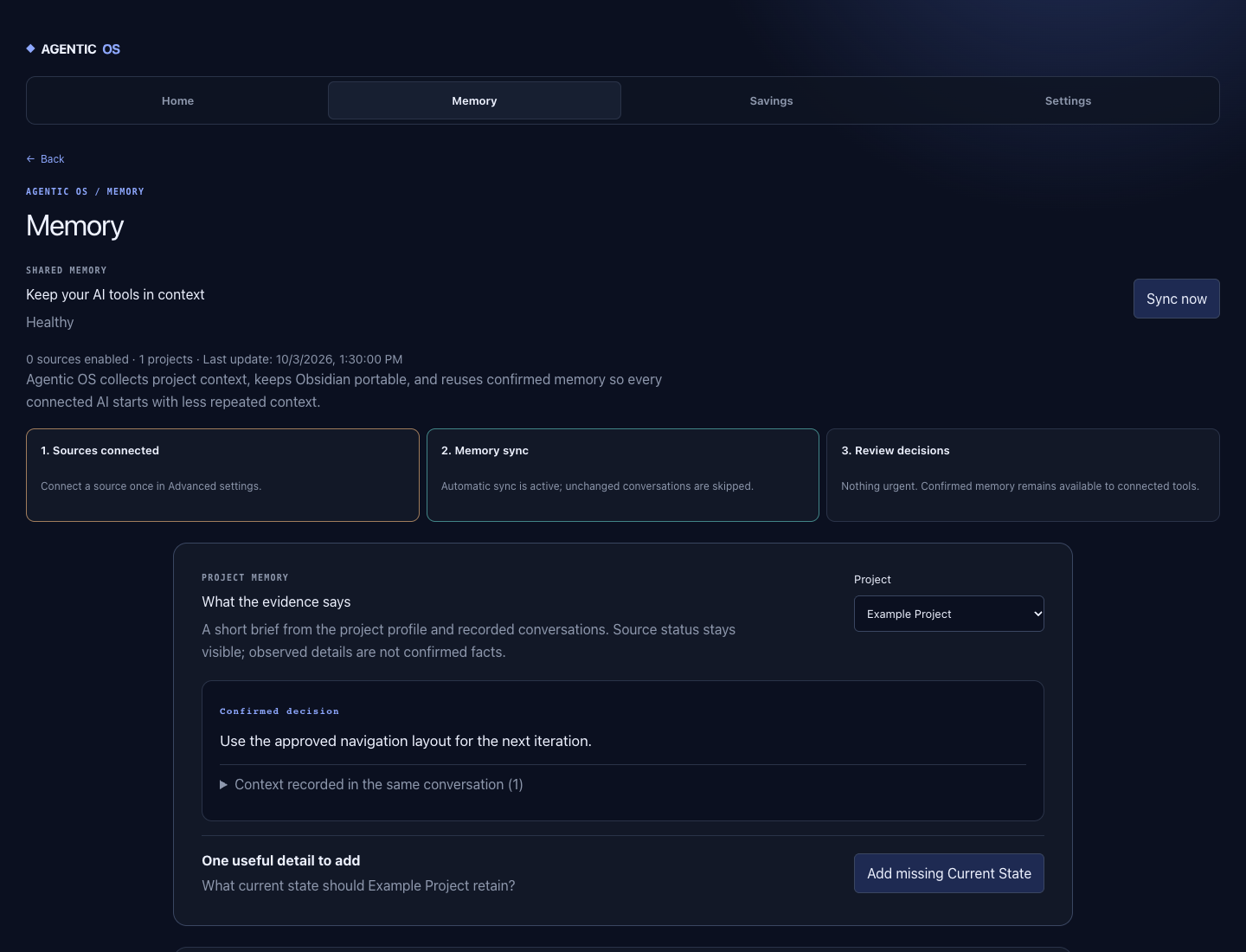
01 / Demo view
Project decisions stay visible
The memory view shows confirmed decisions, source status, and what still needs clarification.
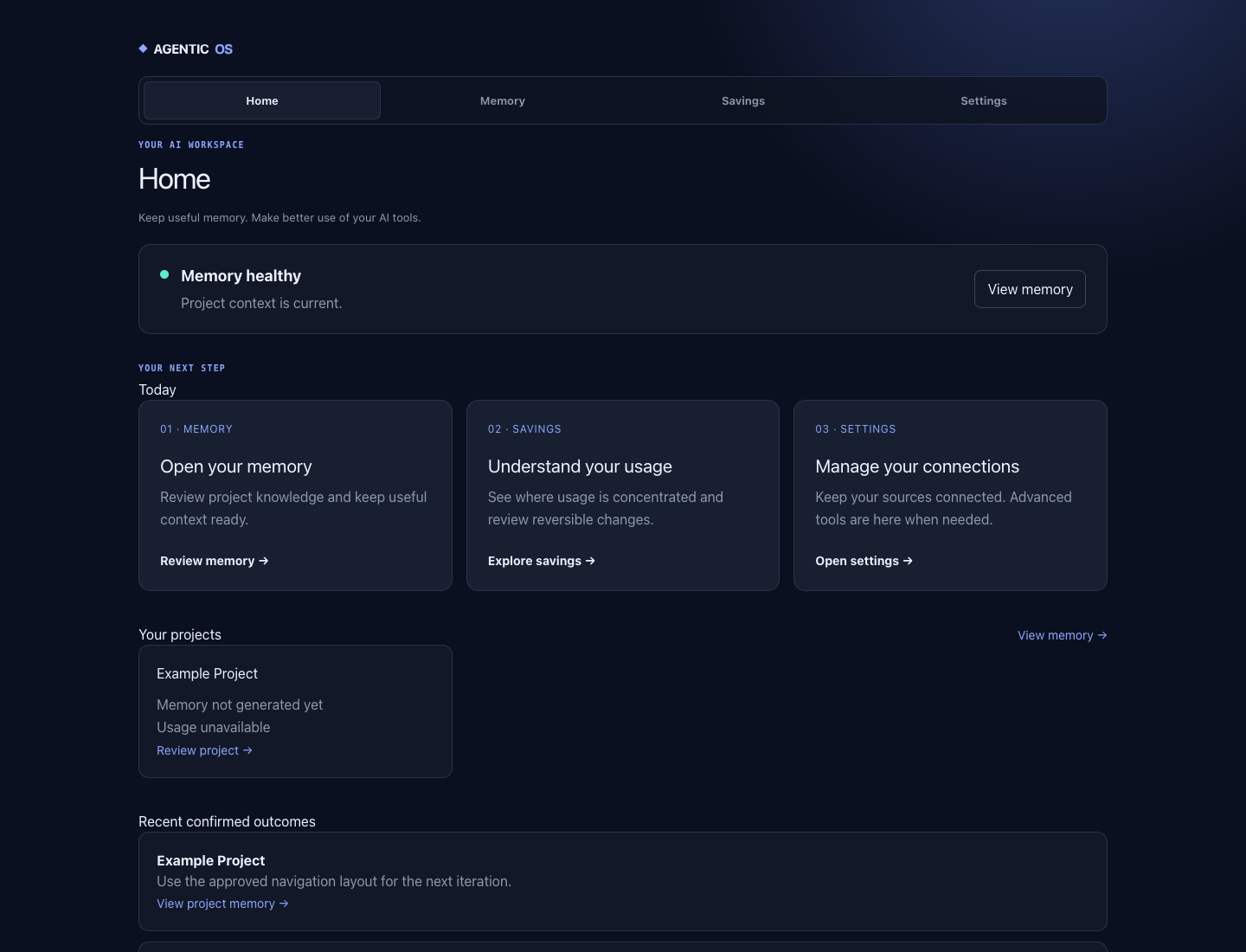
Keep project context, decisions, and next steps in one place. Then move between Codex, Claude Code, and Gemini CLI without explaining the work again.
The NPM command handles reliable installation. Then send the migration prompt to Codex, Claude Code, or Gemini CLI so it can discover your tools, projects, and existing memory and merge them with your approval. It records personal agents and includes three bundled setup skills.
Estimated time: 20–45 minutes, or roughly 30–60 minutes if Obsidian is not installed.
npx personal-agentic-os@latest

After installation:
Migration prompt → discover tools and projects
Shared memory    → detect duplicate context
Changes → only with your approvalThe memory view shows confirmed decisions, source status, and what still needs clarification.
The home screen brings memory health and the next project action together without hiding missing data.
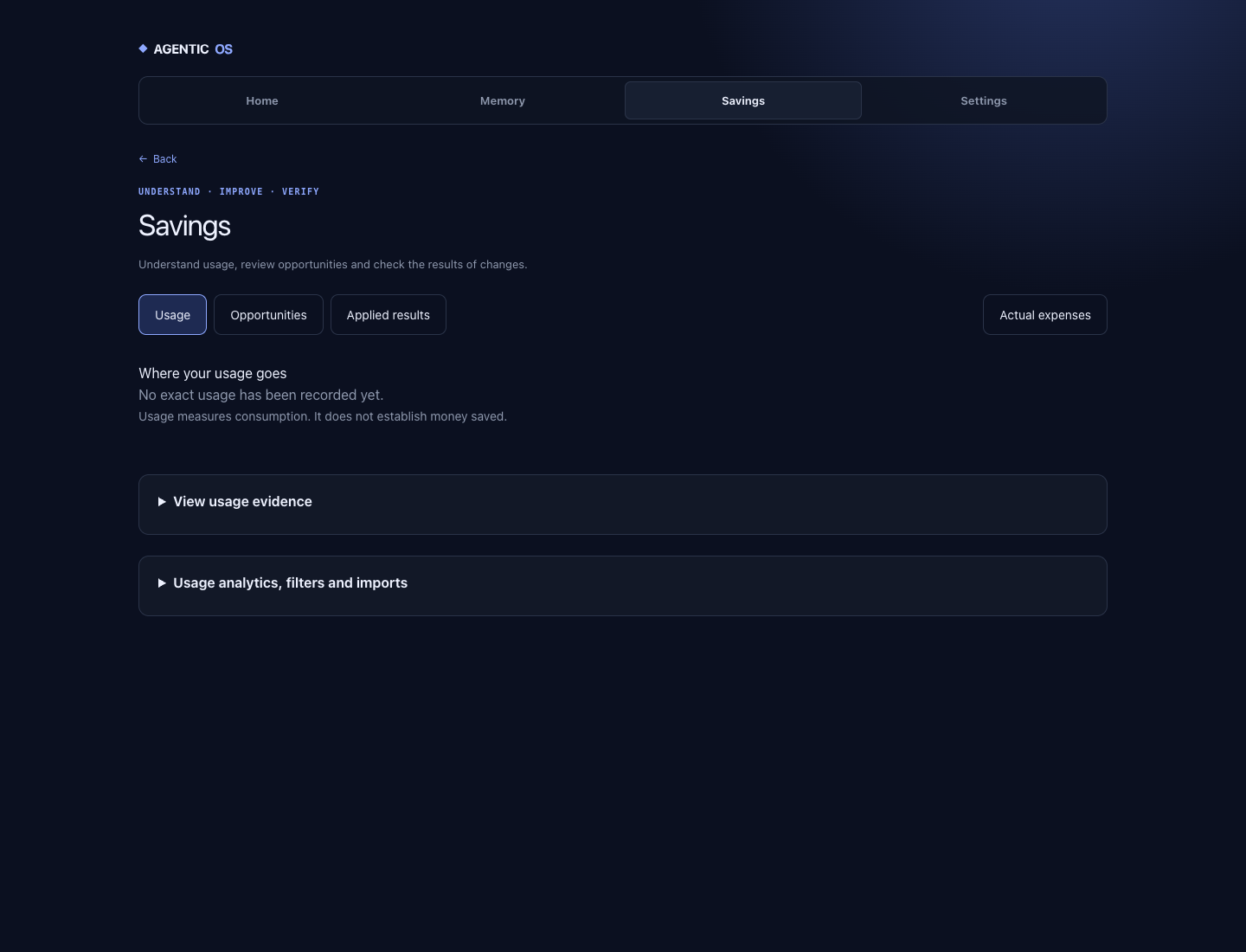
When no exact usage has been recorded, the usage view says so; savings are not claimed without evidence.
For people whose work is spread across several projects and AI tools.
Decisions, current state, and next steps remain in one local memory.
Codex, Claude Code, and Gemini CLI can use the same approved project context.
See tool usage beside project work. Missing evidence never becomes an invented number.
If you use one tool for short, project-free tasks, you probably do not need a system like this.
Short answers to three important setup questions.
Read the complete answers and guides in the wiki ↗By default, project memory and information stay on your device in a local Obsidian vault. Install telemetry is optional and only turns on with your consent.
Yes, for shared memory. If Obsidian is not installed, setup asks before installing it. Without it, you can still use the dashboard.
No. The system can check for a new version and show it in the dashboard, but installation and changes only happen after you approve them.
Added compact, source-bearing project memory, decision briefs, and reversible cleanup of exact duplicates.
The dashboard now surfaces missing or conflicting memory. Import selected conversations and confirm every extracted candidate before it becomes trusted context.
Check Context Pack and Sync evidence without changing data. Local search returns every match with its source path.